












 Continue with Google
 Continue with Discord
Home·Anti-DDoS
NetworkAnti-DDoS protection
Arbor filtering runs on all our servers, with no option and no extra charge. What it stops, what no network filtering will ever stop, and the part that remains yours.

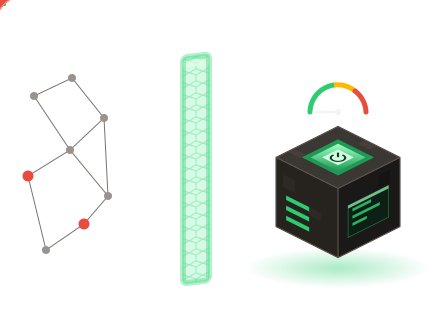
What is already active on your server
All Minecraft illimity servers go through the filtering system Arbor. It is included on every plan, from the free trial to the largest one: no box to tick, no extra line on the invoice.
The filtering works upstream: traffic is sorted before it reaches the machine running your world. A machine that rejects the packets itself spends CPU on it, and the game slows down while it defends itself. Here, that job is not its concern.
We do not advertise any filtering capacity in numbers: a figure in gigabits on a sales page says nothing about what your server will withstand on a Saturday night.
A denial-of-service attack, in practice
The principle fits in one sentence: keep your server busy with fake work until it no longer has time to serve real players. Nothing is stolen, nothing is erased, nobody gets in: the server is simply too busy to respond, and your players see a timeout.
Game servers are convenient targets, for two prosaic reasons. Launching an attack takes neither skill nor budget, it can be rented online. And the target is public: you share your server address so people can come and play. A player banned the day before, a competitor, a visitor who finds it funny.
Saturating the link
A flood of packets poured towards your address until the pipe is full. The noisiest form, and the one upstream filtering handles best.
Opening without ever finishing
Thousands of connections started and then left hanging. The server reserves a spot for each one, and soon has none left.
Putting the world to work
Accounts that genuinely log in, then load areas one after another. To the network, this traffic is normal: it is the kind that gets through.
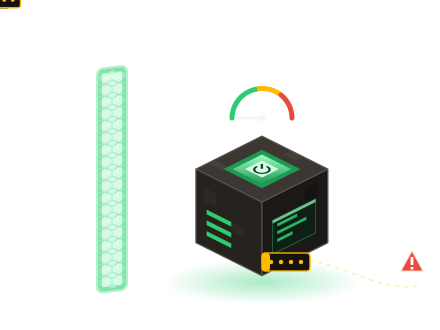
What network filtering does not stop
Upstream filtering sorts traffic, it does not guess intentions. Three situations escape it by design.
Attacks carried out by real connected clients. Valid accounts, no abnormal volume: nothing distinguishes this traffic from a group of friends setting off to explore. What brings the server down is no longer the network but the work demanded of the game. You then look at MSPT and TPS, two measurements that the glossary explains.
Harassment through accounts. Chat spam, repeated returns after a ban, accounts created in series to come back under another nickname. That is moderation, not networking.
Address leaks. Your server has a custom address, with no port to type. As long as it is the only one in circulation, it remains a gateway that we control. A raw IP address pasted in a public channel or a screenshot can never be taken back.
Your part of the job
Four habits take over where the network stops. The last three are set from the panel.
- Share only the custom address
Never the raw IP address, never the port: not on your website, not in your videos, not in server listings. Reread your old posts, one forgotten screenshot is enough.
- Keep a whitelist ready to switch on
It is not a permanent state, it is a switch. The day unknown accounts keep reconnecting in a loop, you flip it from the console: your regulars keep playing.
- Delegate moderation without delegating the rest
Delegated access is granted page by page: a moderator opens the console and player management without seeing billing or your files.
- Assume you will need to roll back
An application-level attack sometimes leaves a damaged world, not just a slow server. The automatic backups and log analysis are there for that: go back to before the incident, then understand where it came from.
If you think you are being targeted
Start with the status page of our services (it can be checked even when your server is not responding). Then read the logs: bursts of connections, the same nicknames, the same areas loaded. Then open a ticket, in French, with the exact time and what you saw in the console. Those two details save a round trip.
The filtering is already in place, there is nothing for you to switch on. Your part fits in one line: never share the raw IP address, and keep a whitelist one click away.
No. Arbor is included on every server, including the free 10-day trial. There is no option to add.
Most of the time, no: a slowdown comes from a high render distance, a mob farm or a heavy modpack. The TPS and MSPT settle the question in a few seconds.
No, the filtering is the same from Steve to Wither. Memory changes how much work your server can handle, not what the network lets through.
Filtering is included in the price
Nothing to switch on, nothing extra to pay. Try it for 10 days, no bank card required.