












 Continue with Google
 Continue with Discord
Home·Backups
Included serviceBackups
Your server files are copied automatically, and you put them back from the panel without going through a ticket. That leaves the question nobody asks until they need to: what to do on the day the host's copy is not enough.
What is copied
The backup covers your server files, that is, the tree you see in the file editor: the world folder and its regions, the configuration files, the plugins and mods you have installed, the player lists. It runs on its own. There is nothing to schedule and nothing to tick.
A world grows fast: every player who goes exploring writes new regions. The disk of your plan ranges from 1 GB on Steve to 30 GB on Wither, and it is what decides how big your world can get.
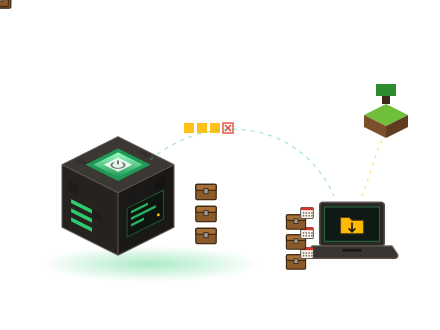
A host's backup is not your archive
It is made to repair an accident: an unfortunate command, a plugin that wipes an area, a world that no longer loads. It is not made to preserve your server on your behalf. It lives in the same place as the server, it keeps only a limited number of states, and it only knows your server as it is today.
The copy that really counts is the one that is not with us. Open the web FTP of the panel, go down into the world folder, download it to your machine, and date the folder you get. Do it again once a month, and you hold a history of your server that nothing can erase on your behalf, not even you.
A backup you have never restored is not a backup, it is an assumption. Try it once, on a world you do not care about, while things are calm.
Before making a mistake
Three moments when automatic is not enough. Pull the world down over the web FTP, store it elsewhere, and only then go ahead.
You change version
A world opened by a newer version does not go back down. Region formats, block identifiers and entity data are rewritten on the first load, and that first load is enough. The copy is taken before launching the server, not after.
You install a large modpack
A modpack brings its own configurations, its items and sometimes its dimensions. Removing it does not restore the previous state: unknown blocks remain in the chunks already generated. The copy, on the other hand, does restore it.
You clean up chunks
Deleting regions to free up disk space only goes one way. A deleted region file takes everything it contained with it: builds, chests, farms, entities. Nobody will ask you to confirm a second time.
Changing version takes a few clicks from the panel, and that is the trap: an operation that is easy to launch is still heavy for the world it passes through. If you are coming from another host, the page transfer your server describes the complete move.
Putting a world back in place
Restoration is done from the panel, on your decision. The order of the steps matters more than speed.
- Stop the server
Restoring while it is running means rewriting files the engine holds open. Shut it down from the console and wait for the actual stop, not the stop command.
- Set the current state aside
Before overwriting anything, download the world folder as it is via the web FTP. If the archive you chose is not the right one, you will still have a choice ahead of you.
- Choose the right date
Locate the archive from before the incident, not the most recent one: the most recent one often already contains the problem you are trying to erase.
- Restart, then check
Start it up again, log in alone, go and look at the spot that was causing trouble before reopening to players. The logs shown in the panel will tell you whether the load went through without errors.
What damages a world, in practice
A lost world is rarely lost through hardware failure. Almost always, it is one of these three actions.
- An interruption during a write. A server cut off abruptly while it is saving leaves half-written region files, and those files reload badly or not at all. Always use the clean stop from the console.
- A version rollback. Restarting an already converted world on an older version does not produce a polite refusal: the server reads data it does not understand and writes over it. Moving forward is prepared, moving back is restored.
- Two servers on the same folder. Two engines writing to the same world fight over the same files. The session lock does not catch every situation. One world, one server, and no working copy running alongside.
A world that no longer loads? Open a ticket from your customer area, in French, with the date and time of the last moment it was working. That date is what identifies the archive to go back to.
Take a copy of your world today
Web FTP, file editor and restoration are all in the panel. The free trial lasts 10 days, no bank card required: enough to make it a habit.