
Your Minecraft host since 2012












Your Minecraft host since 2012
Find your server's panel, your backups and your invoices.
No account yet? Create an account
No bank card required: you only pay when you order a server.
Already have an account? Log in
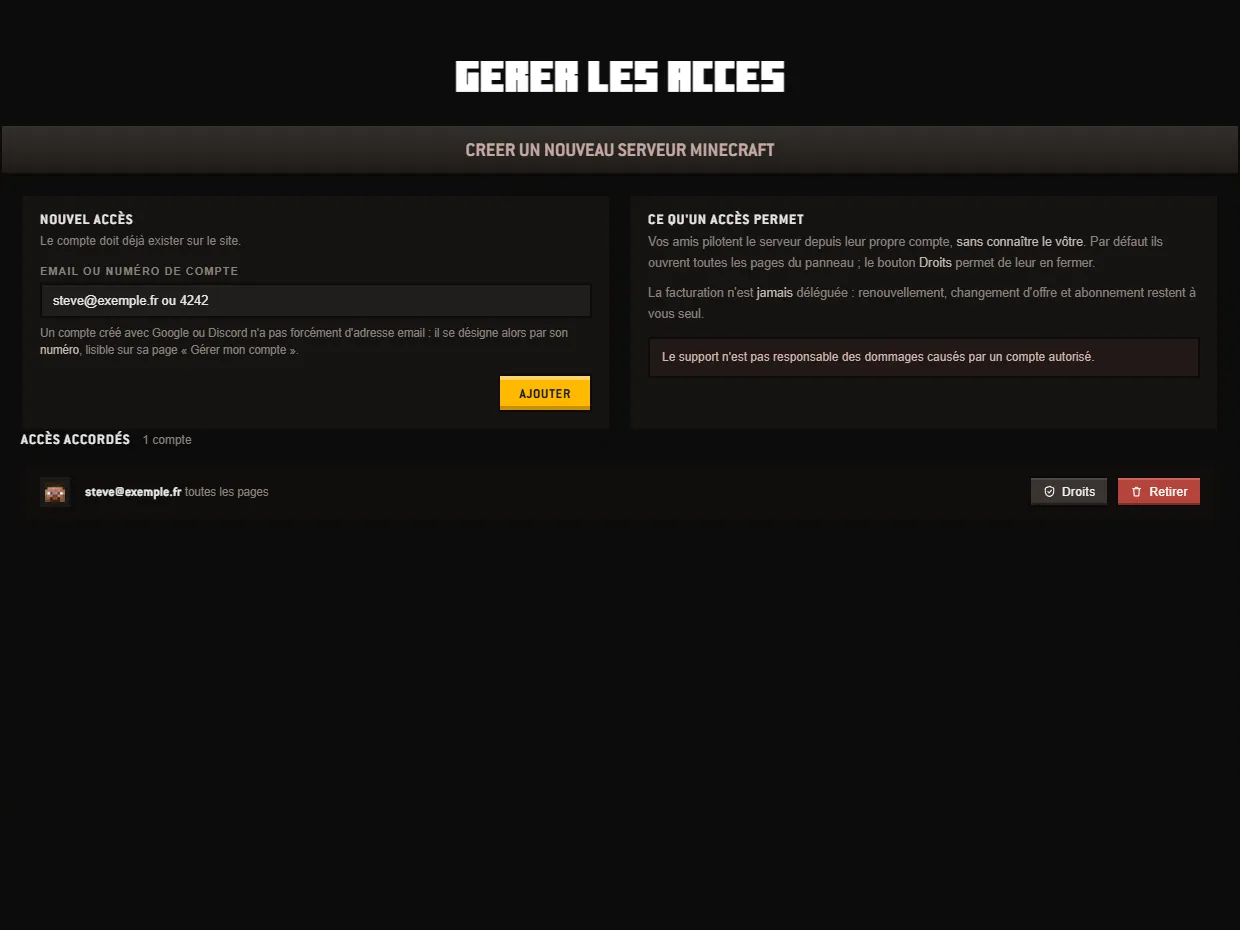
The Manage access screen answers a common situation : someone needs to be able to act on the server, but you do not want to hand them your account. You invite them with their own, then you choose the panel pages they will see. The rest stays closed to them.
Two boxes fill the top of the page. On the left, NEW ACCESS, the invitation form. On the right, WHAT AN ACCESS ALLOWS, which sums up the rule : your friends run the server from their own account, without knowing yours.
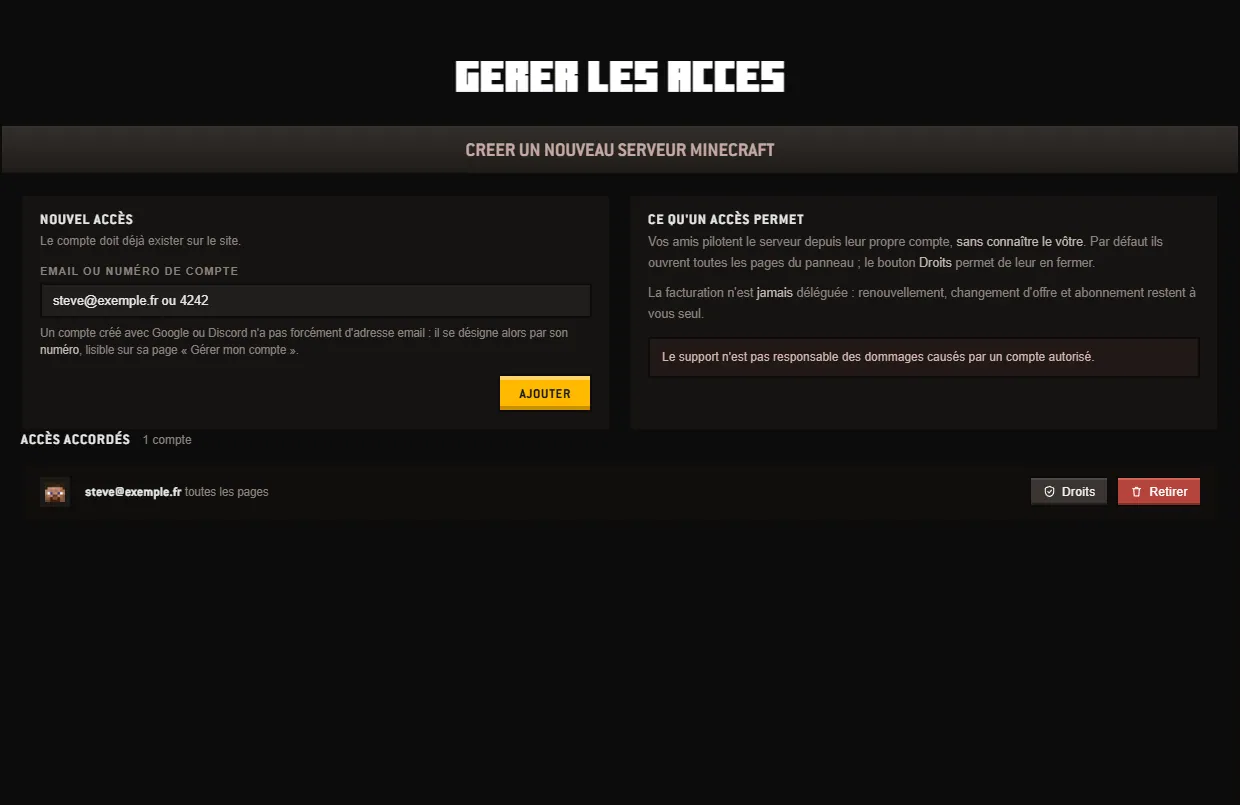
To invite someone, enter an address in the Email or account number field, then click ADD. The account must already exist on the site : the screen attaches a registered person, it does not create a registration. An account opened with Google or Discord does not necessarily have an email address ; it is then identified by its number, shown on its « Manage my account » page.
Access is granted server by server : if you host several, a row of buttons appears below the two boxes. The GRANTED ACCESS banner carries the name of the one you are looking at and shows how many accounts have rights to it. Each line shows the account's address and the extent of its rights : all pages, a number of pages out of nine, or no page open. Two buttons end it, Rights and Remove.
The Rights button opens a window titled with the account's name, where nine tiles represent the panel pages. An invitation opens them all : you uncheck the ones you want to close. Check all amounts to restricting nothing, Uncheck all closes everything, and the counter in the corner follows your clicks. SAVE applies ; Cancel and the Esc key close the window without changing anything. The nine pages are :
Billing is not in this list, and that is no oversight. Renewal, plan change and subscription stay with the account holder ; no box opens them. Handing the console to a moderator therefore gives them no hold over any payment method. The rights themselves are changed from the owner's account : an invited person cannot widen their own.
To close an access, the Remove button on the line is enough ; it is the thing to do the day someone leaves the team. The page also reminds you that support is not responsible for damage caused by an authorized account : only open versions and backups to people you know.
The full tour of the panel can be read on the panel page, the other procedures in the tutorials. If in doubt, ticket support takes over.
 Continue with Google
 Continue with Discord