
Your Minecraft host since 2012












Your Minecraft host since 2012
Find your server's panel, your backups and your invoices.
No account yet? Create an account
No bank card required: you only pay when you order a server.
Already have an account? Log in
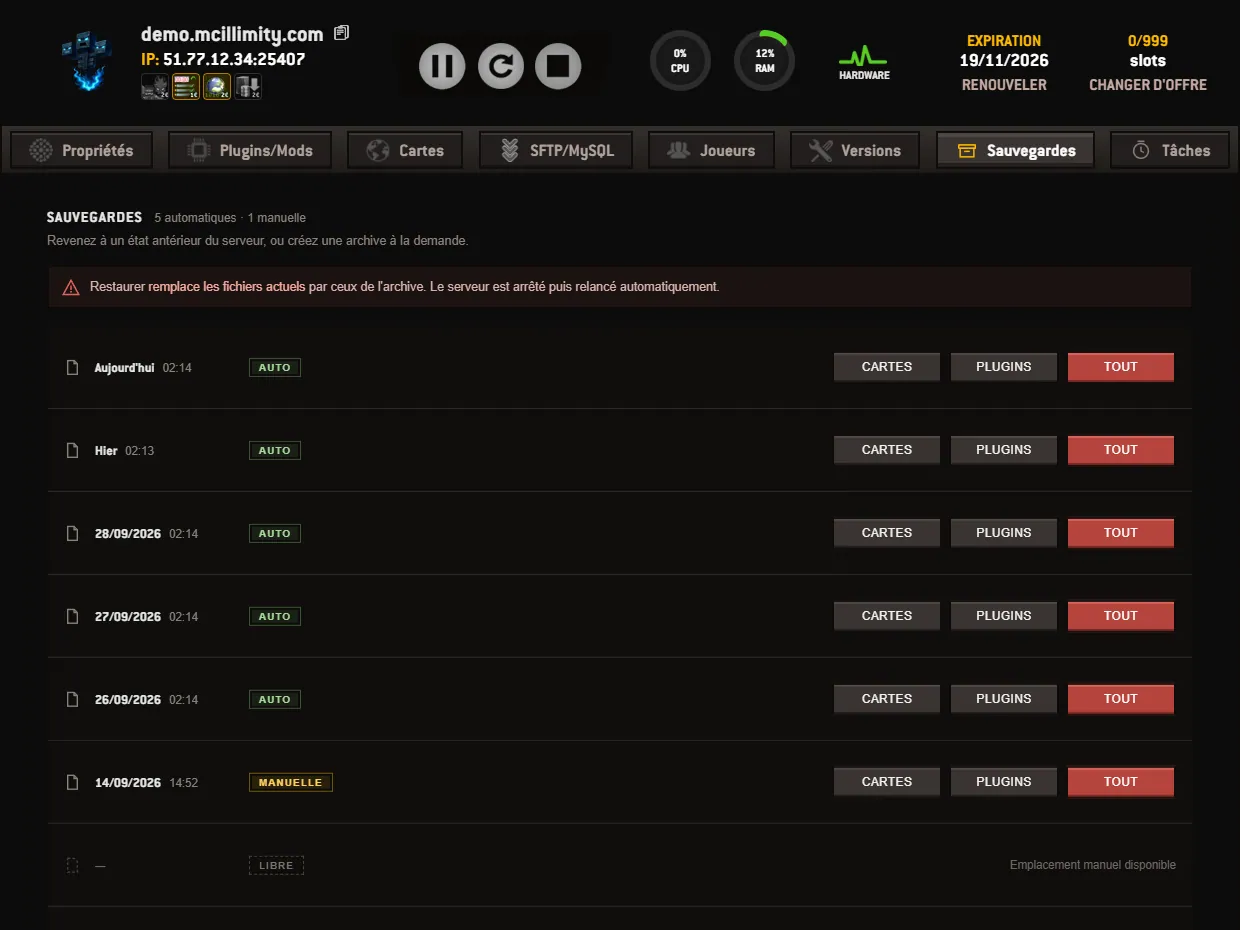
The Backups tab answers a single question: going back to an earlier state of the server, or creating an archive on demand. Everything sits in a single frame, one line per archive. At the top of the frame, a counter tells you how many automatic archives and how many manual archives you own.
Each line carries its date and time. Today's show as « Today », yesterday's as « Yesterday », the others with their full date. A coloured token tells you where the archive comes from: Auto for those we take ourselves, Manual for those you launched yourself. The automatic ones ask nothing of you.
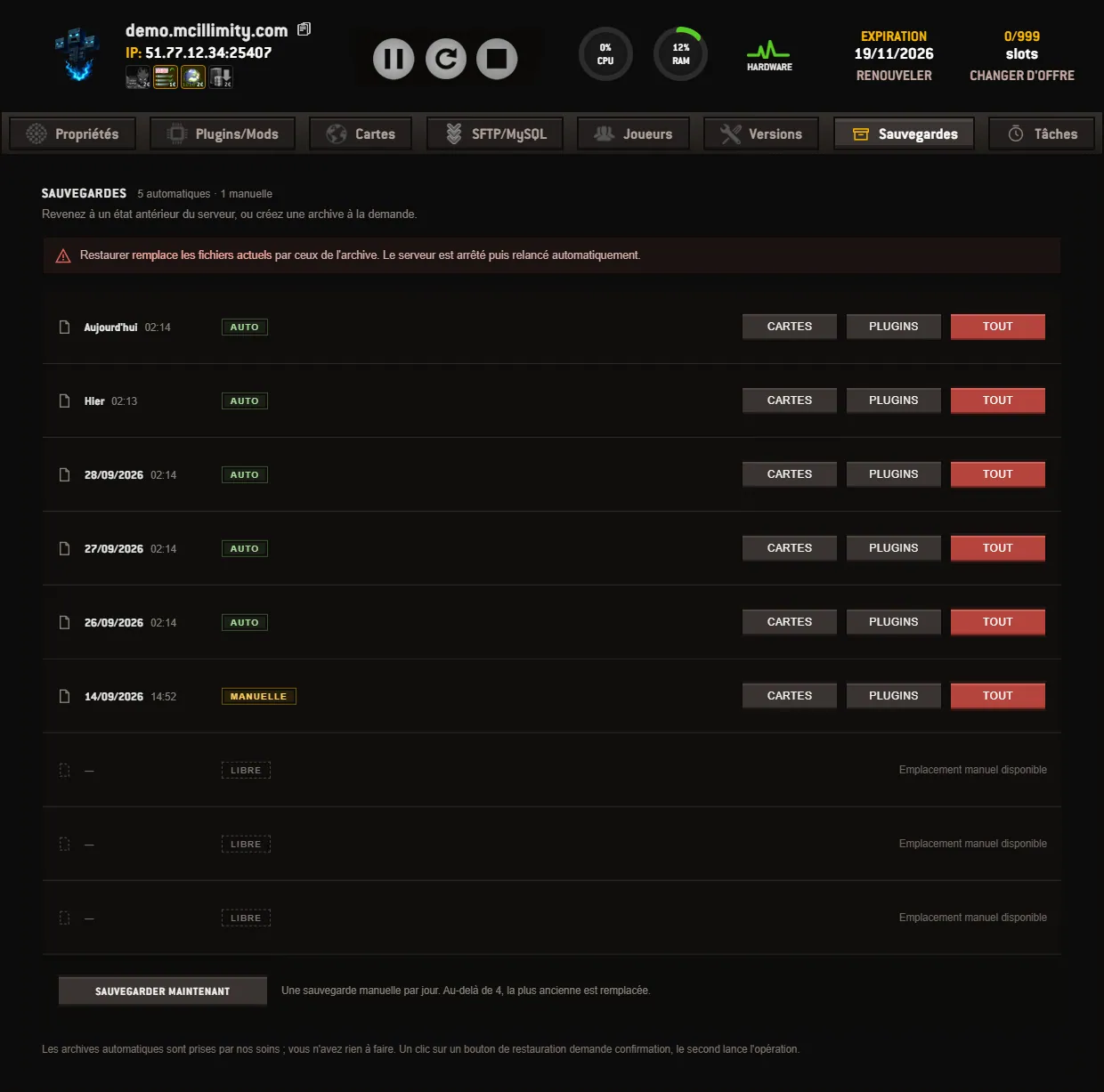
To the right of each line, three buttons choose what the restore puts back in place:
A banner above the table applies to all three: restoring replaces the current files with those of the archive. The server is stopped and then restarted automatically, you do not have to deal with it. The first click on a restore button launches nothing: the button label turns into a confirmation request, and it is the second click that runs the operation.
At the bottom of the frame, the BACKUP NOW button creates a manual archive. You have one manual backup per day, and four slots. Beyond four, the oldest one is replaced. The slots still free remain visible in the table, marked Free: you can see at a glance what you have left, without having to count the lines.
If a manual backup has already been launched during the day, the button gives way to the mention BACKUP UNAVAILABLE, and the frame invites you to try again the next day. As long as no archive exists, the table simply states that there are none yet.
A fourth button may appear on the lines: BROWSE. It opens the archive in a window, folder by folder, without downloading anything: you point to a file and that file alone is put back in place, instead of restoring a whole batch. This one is not included in the plan: it comes with the advanced backups option, at 2 euros per month, and it is the only thing that option adds. The archives, automatic as well as manual, and the restores by maps, by plugins or in full, are included in all plans.
Keep a manual slot for the moments that matter. The day before a change of engine, for example: installing a version resets the server and wipes the worlds, and an archive taken just before gives you the right to be wrong. Same thing before adding a large extension. See versions and modpacks and plugins.
The other screens of the panel are described on the page the panel, screen by screen, and the page backups comes back to the subject. If a restore does not give you what you expected, open a ticket from your customer area: the « Concerns » field lets you pick the server from the list of your orders, without having to copy any number.
 Continue with Google
 Continue with Discord