
Your Minecraft host since 2012












Your Minecraft host since 2012
Find your server's panel, your backups and your invoices.
No account yet? Create an account
No bank card required: you only pay when you order a server.
Already have an account? Log in
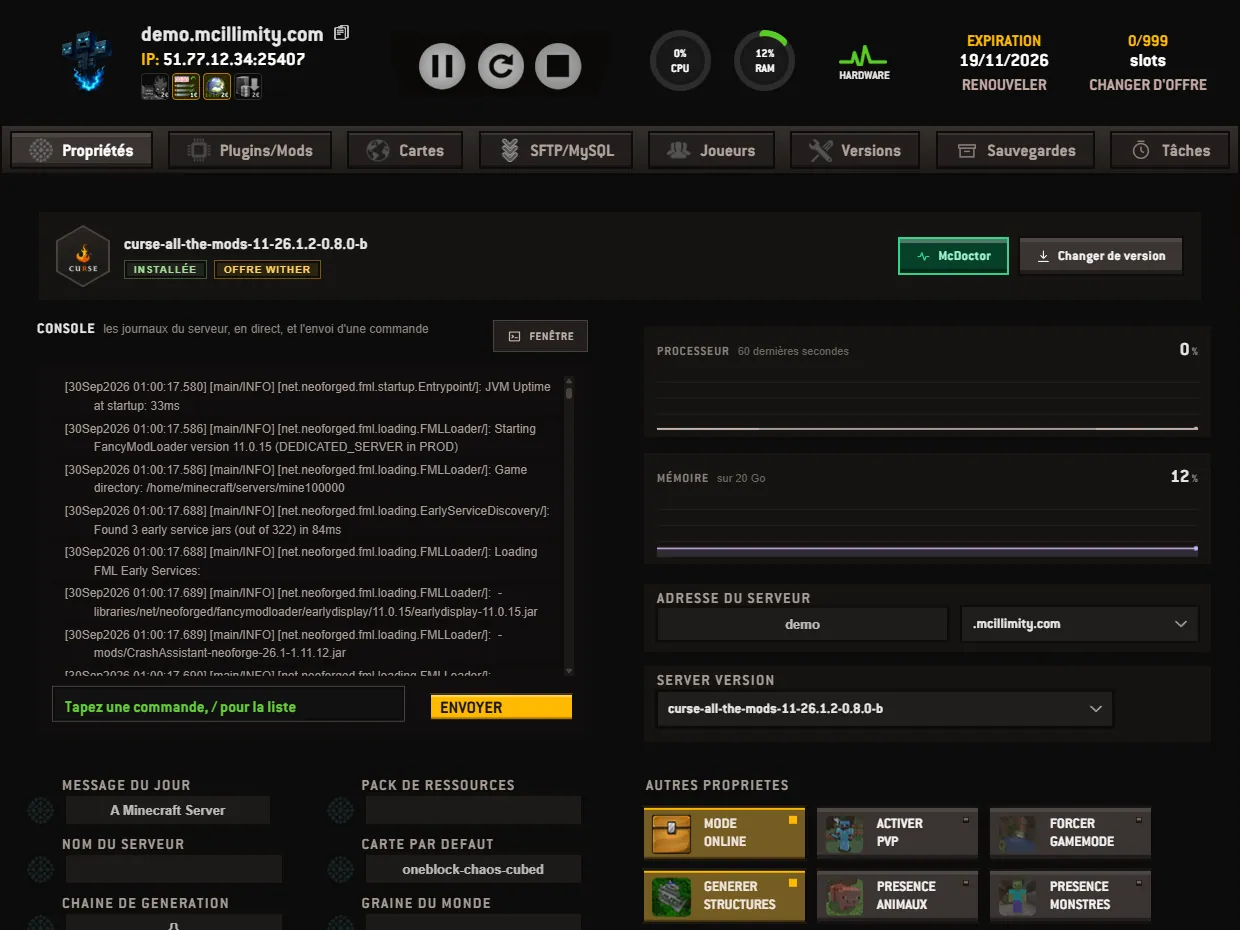
The Properties tab opens when you enter a server from your panel. It gathers what you use every day: the server status, the buttons that start and stop it, the live console, the connection address and the game settings.
The top bar stays in place whichever tab is open. On the left, your server's address, followed by an icon that copies it to the clipboard, and below it the IP line with the address and the port. On the right, two round gauges, CPU and RAM, whose hover shows the exact value, and the HARDWARE link to the machine's status page.
In the center, the action buttons follow the server's state. Stopped, there is only one, the one that starts it. Running, three appear: the clean stop, the restart, and the forced stop for the times it no longer responds. Then come the expiry date, with its RENEW button as long as renewal is open, or MANAGE if you are on a subscription, then the count of connected players over the number of slots, and CHANGE PLAN.
Below the bar runs the ribbon of tabs: Properties, Plugins/Mods, Maps, SFTP/MySQL, Players, Versions, Backups. One more tab, Tasks, appears for those who have taken the scheduled tasks option, at 1 euro per month. The first box shows the installed version; Change version leads to the versions and modpacks page.
The console takes up the left half and scrolls the logs live: joins, leaves, chat messages, player commands, and the warnings or errors, which carry their icon. It is the first place to open when a plugin refuses to load. The WINDOW button detaches it into a separate window.
Below the log, the command field carries the hint Type a command, / for the list. A slash opens above the field the list of common commands, each with what it does.
Your command is written in the log as soon as it leaves, and the reply follows. Opposite, two curves track the processor over the last sixty seconds and the memory in use: the gauges at the top give the value of the moment, these curves show its ups and downs.
The SERVER ADDRESS box holds the name your players connect with: a field for the part you choose, a list for the domain, where the private domain option adds your own names. A change takes up to forty-eight hours to propagate to every internet provider; the IP address at the top of the page remains valid in the meantime.
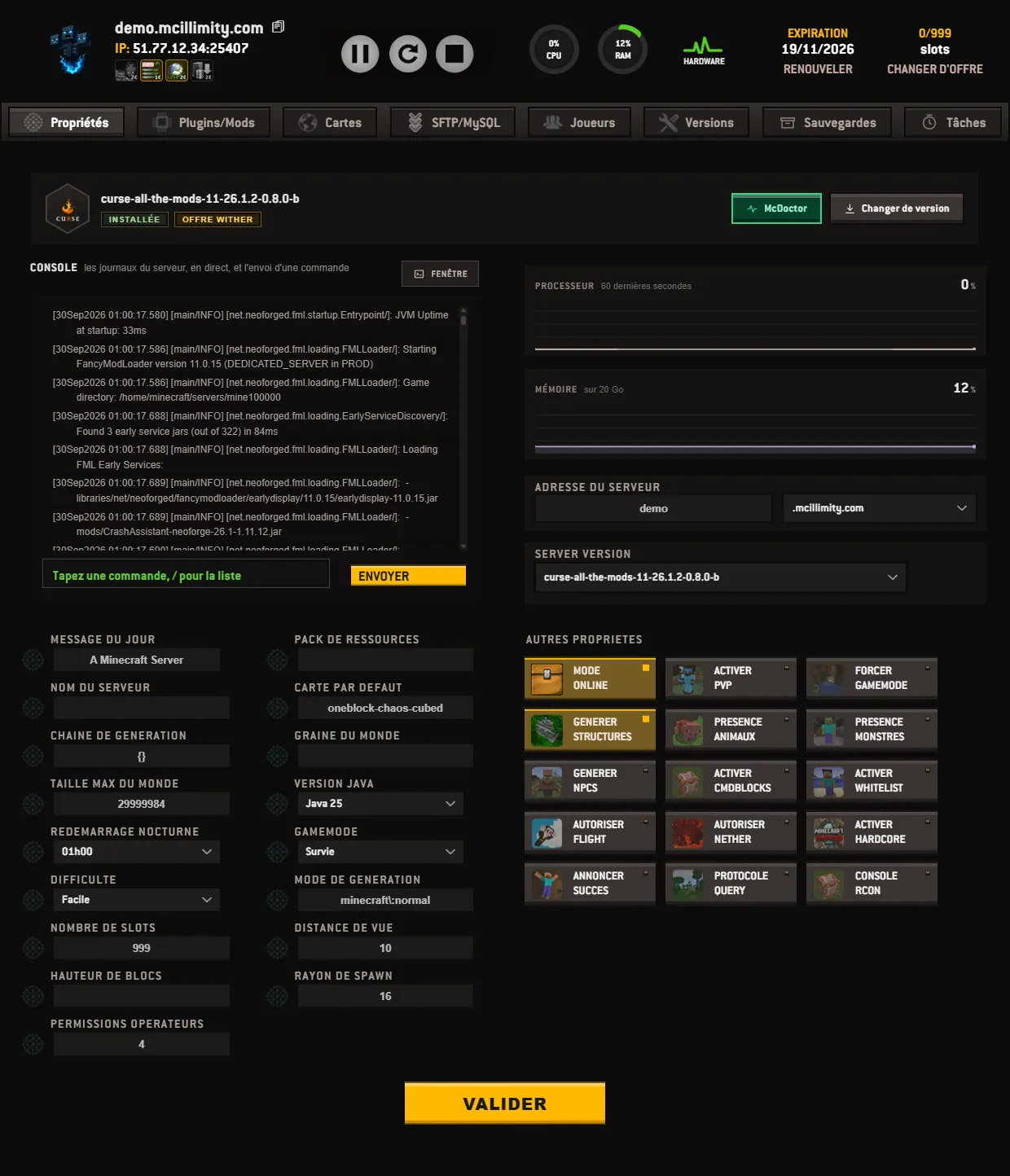
The bottom of the screen is the game configuration, in plain words: message of the day, server name, default map, world seed, gamemode, difficulty, number of slots, view distance, spawn radius, operator permissions, Java version, and the nightly restart, which stays on Disabled or is set to the suggested time.
Next to it, the OTHER PROPERTIES block lines up the switches: online mode, PVP, whitelist, hardcore, flight, nether, animals, monsters, structures, NPCs, command blocks, achievement announcements, query and RCON. A click toggles, and nothing is written until you have pressed VALIDATE, at the bottom of the page. The neighboring tabs are shown in pictures on the panel, screen by screen, and covered in our tutorials.
 Continue with Google
 Continue with Discord